A coding harness, a capable assistant, and a curious octopus at your side. Bring a local model, give it a project, and stay connected from your iPhone wherever you are.
A capable agent that can think, act, and keep you in the loop.
One system, many ways to help
A harness built for real work.
Work with an agent that can use tools, carry context, and make progress visible. Keep the model, the project, and the important decisions in your hands.
01 — Agentic assistant
From a request to the next step.
HYDE pairs capable help with a snarky, playful personality that brings each interaction to life. It can break big goals into manageable steps, use tools to move work forward, ask thoughtful questions, and keep you updated along the way. Working with HYDE feels less like operating a computer and more like collaborating with a clever assistant at your side.
✓Understand the projectDone
✓Map the next changesDone
Work through the taskIn progress
◌
02 — Your model, your choice
Local by choice. Flexible by design.
Run supported models on Apple silicon with MLX, or connect a provider such as Ollama, LM Studio, Claude, OpenAI, or Gemini. Choose the model for the work, or run two different models simultaneously in split-screen mode, so you can be at your most productive.
On-deviceOllamaLM StudioClaudeOpenAIGemini
SC
03 — HYDE-exclusive SuperCode
TDD, enforced by the harness.
SuperCode makes HYDE follow test-driven development (TDD): write a failing test first, then change the code to pass it and run the checks again. When the model gets stuck, a built-in diagnostic algorithm helps it work through blockers that would otherwise stop progress.
Test firstHarness enforcedDiagnostics
04 — Plans & focused helpers
Make room for big tasks.
Shape a plan together, break it into modules, and hand focused work to helper agents. Highly visual progress views show what’s happening and what’s next at a glance, with continuous feedback as work moves forward—so you’re never left in the dark.
01 Explore the code02 Build the change03 Review the result
05 — HYDE-exclusive SmartCompact
Keep the signal. Leave drift behind.
SmartCompact creates a curated handoff as a conversation grows. It prunes stale details and anything likely to cause drift, carrying forward only complete information—never truncated or incomplete data. Only the context needed for the next steps is carried forward.
CurrentCompleteRelevant
06 — Voice & vision
Show it. Say it. Keep moving.
Conversation Mode lets you talk back and forth with HYDE in a natural exchange. You can listen to replies, share an image and ask how you look, or ask what you’re looking at. HYDE responds based on the visual context you share.
Conversation ModeVoiceVision
07 — Persistent memory
Remember what matters over time.
HYDE keeps a persistent, searchable conversation record and a shared knowledge base for its agents, including verified craft lessons. When a task risks repeating a known mistake, HYDE brings the right context forward just in time: a warning, a safer code snippet, or both. Earlier decisions remain searchable with citations to their source.
HYDE’s learning loop turns your corrections and verified fixes into small, cited lessons, then brings a relevant lesson into future work. Changes are measured against real outcomes before they’re accepted.
Evidence-gatedScoped lessonsMeasured gains
09 — Custom-tuned local image tool
Local images. Tuned to your eye.
Create images entirely on your Mac with HYDE’s custom-tuned Qwen-Image tool. Tune looks for nature, portraits, products, and architecture; rate results so HYDE can propose refinements. Choose native 1080p, 2K, or 4K, or an upscaled 4K render.
On-deviceTuned templatesUp to 4K
Locally generated with HYDE4K image · custom tuned
Real HYDE desktop captures
The harness, at work.
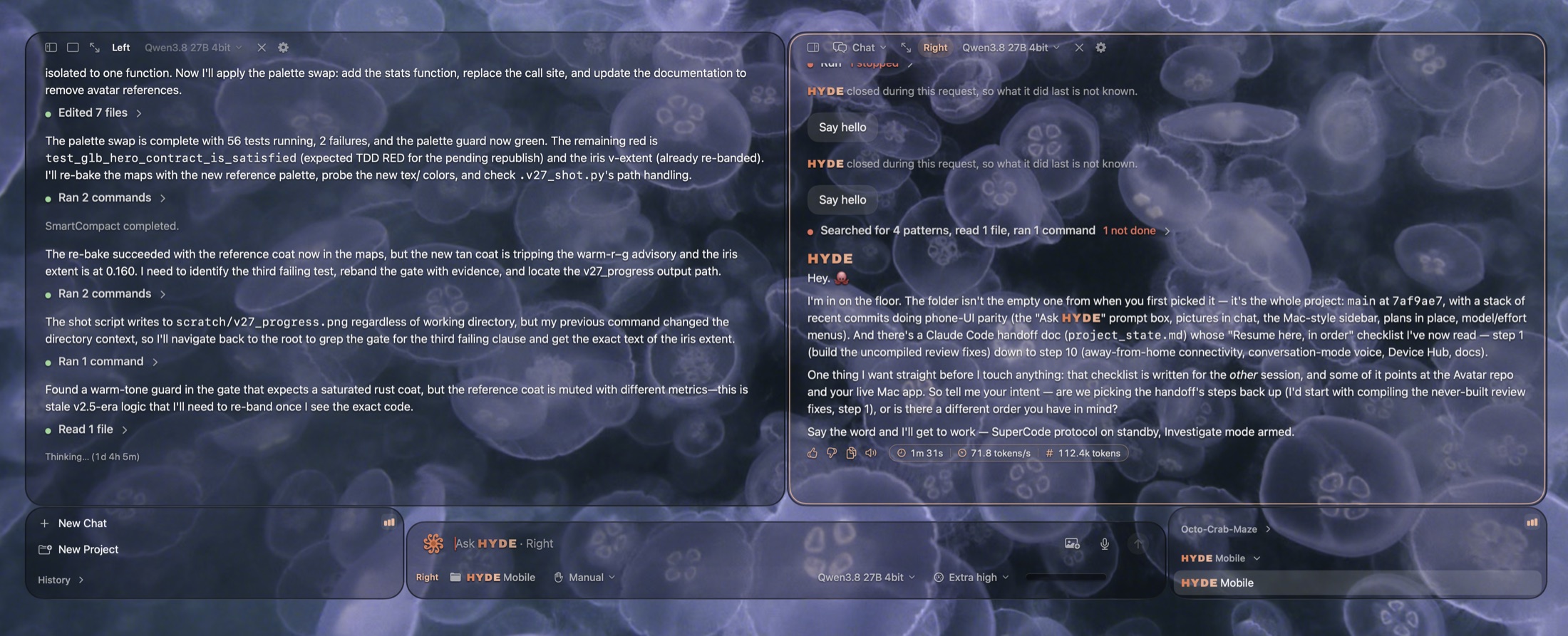
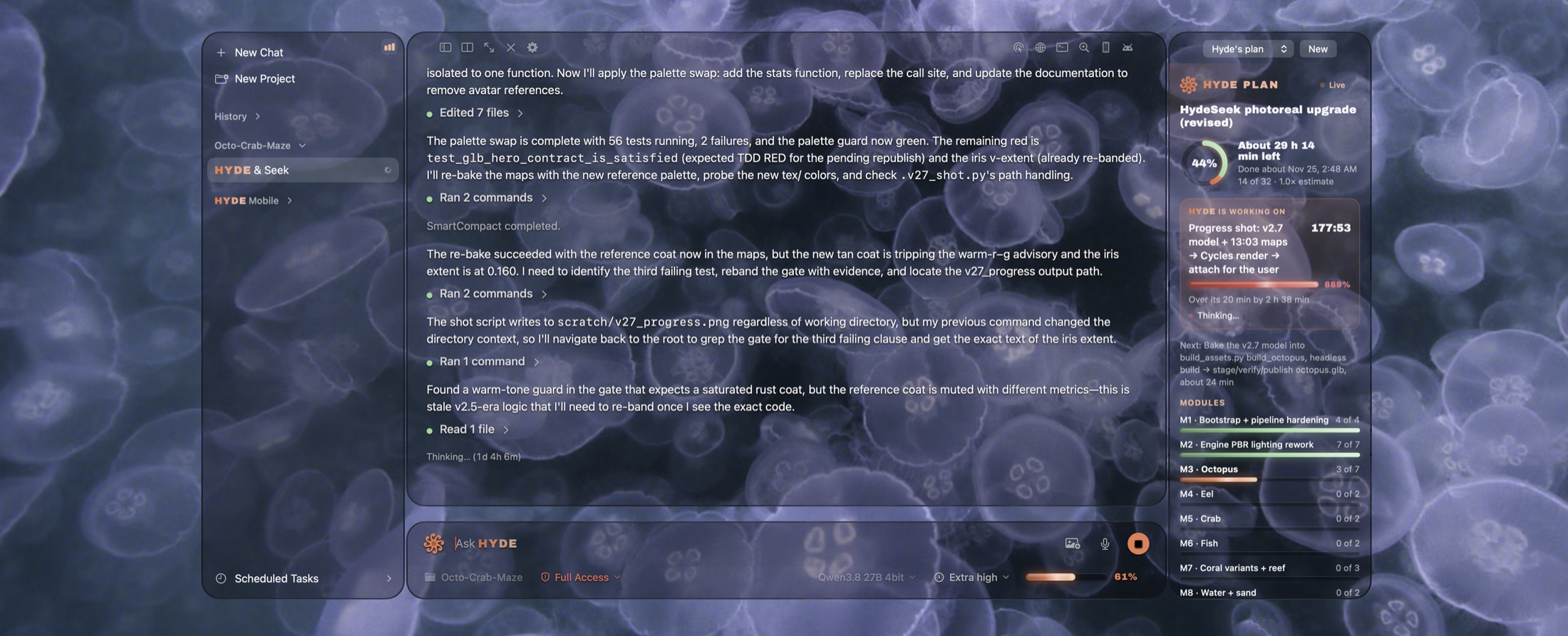
See HYDE in its natural workspace: parallel conversations, coding sessions, and a detailed plan with live progress.
01Two sessions, side by side
Keep parallel conversations and their project context in view.
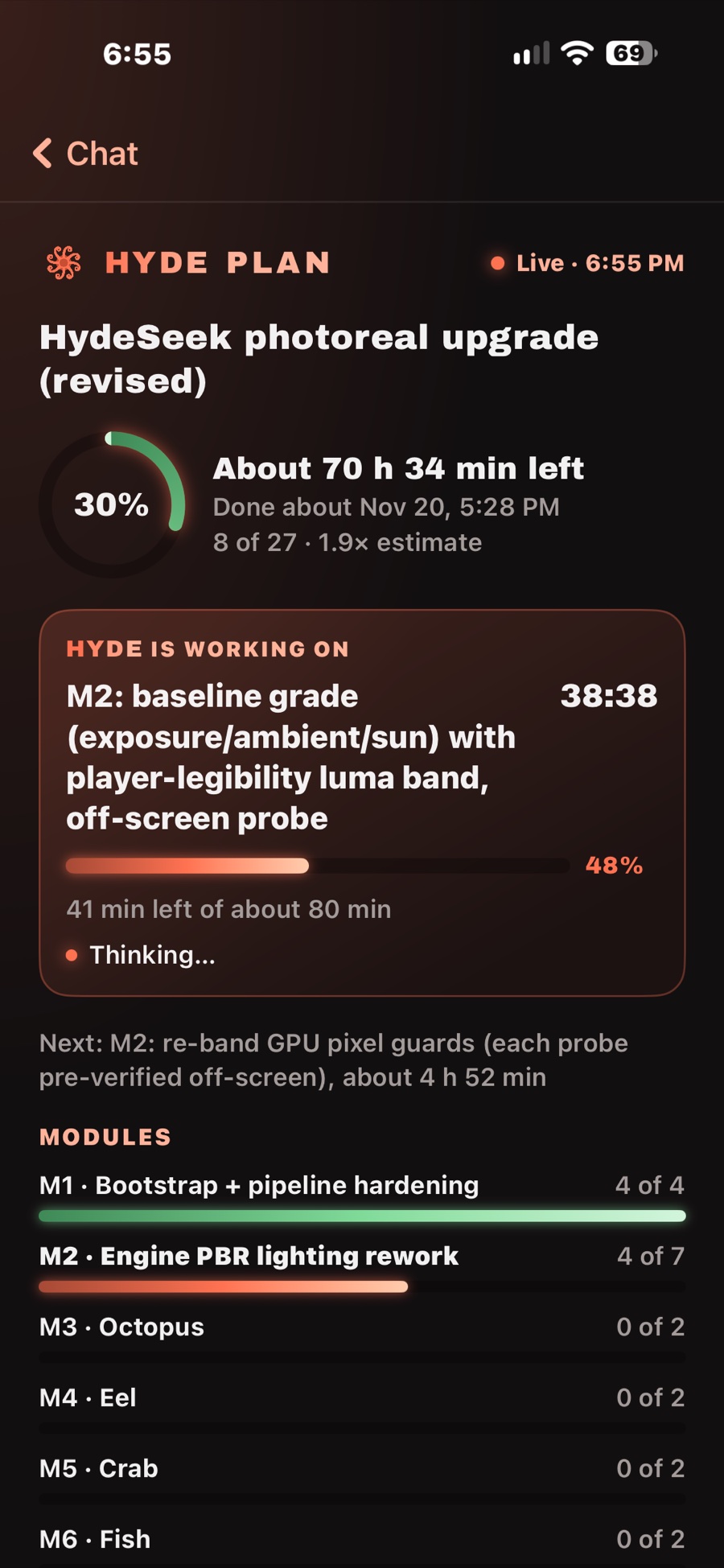
02Plans that stay in view
Follow active work, upcoming steps, and progress across modules.
Your Mac, in your pocket
Your desk can be anywhere.
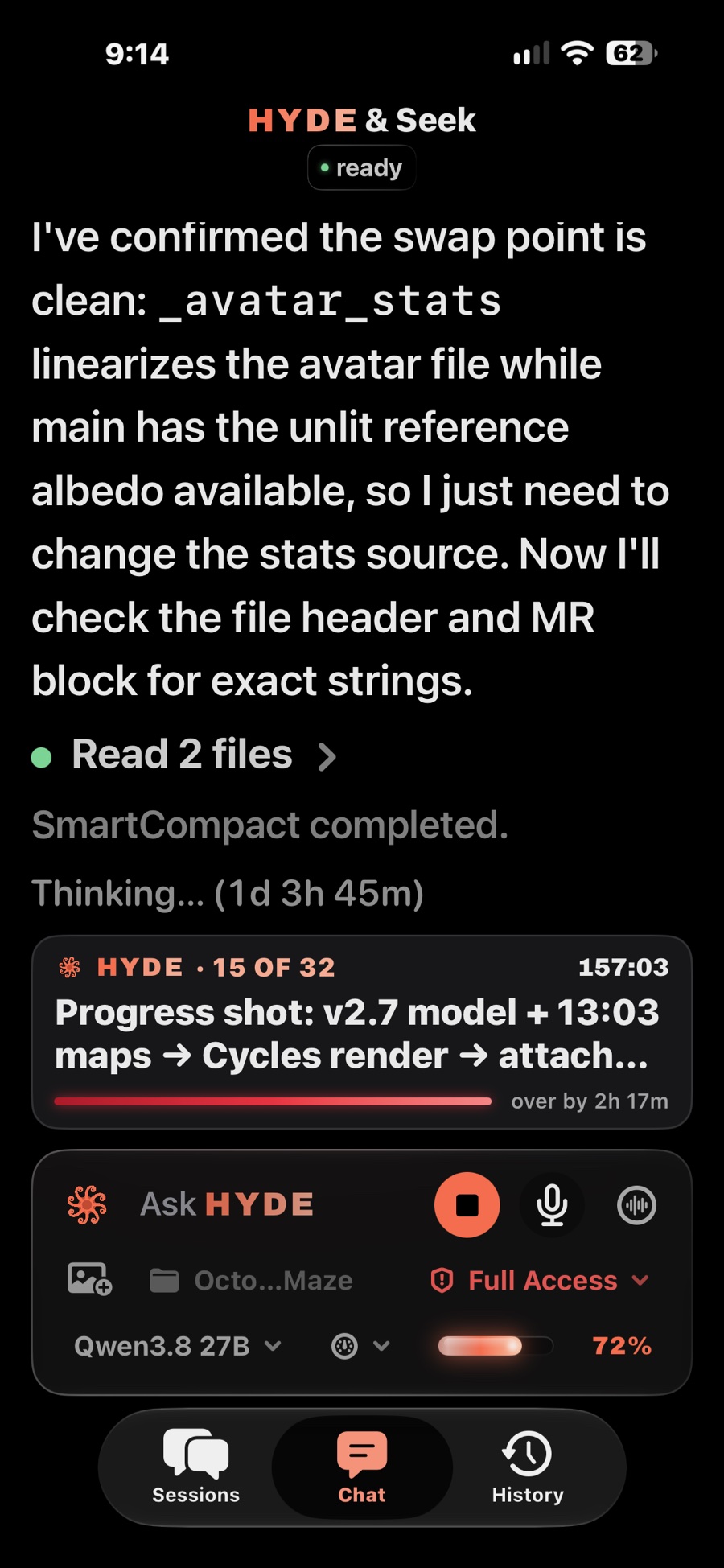
Control your Mac from your iPhone anywhere in the world. Follow a live run, send the next instruction, answer a question, approve or decline an action, and stop the work—all from your phone.
↗Pick up the live threadSee the conversation, tool calls, and results as they arrive.
✓Stay in control, remotelyAnswer HYDE’S questions and make the approval decision yourself.
◌Pair once, then goScan a short-lived pairing code to link your iPhone and Mac through an encrypted tunnel.
Your Mac does the work. Your phone keeps you connected to it.
Swipe to explore
The real HYDE iPhone app
A model workshop, on your Mac
Teach a model to answer your way.
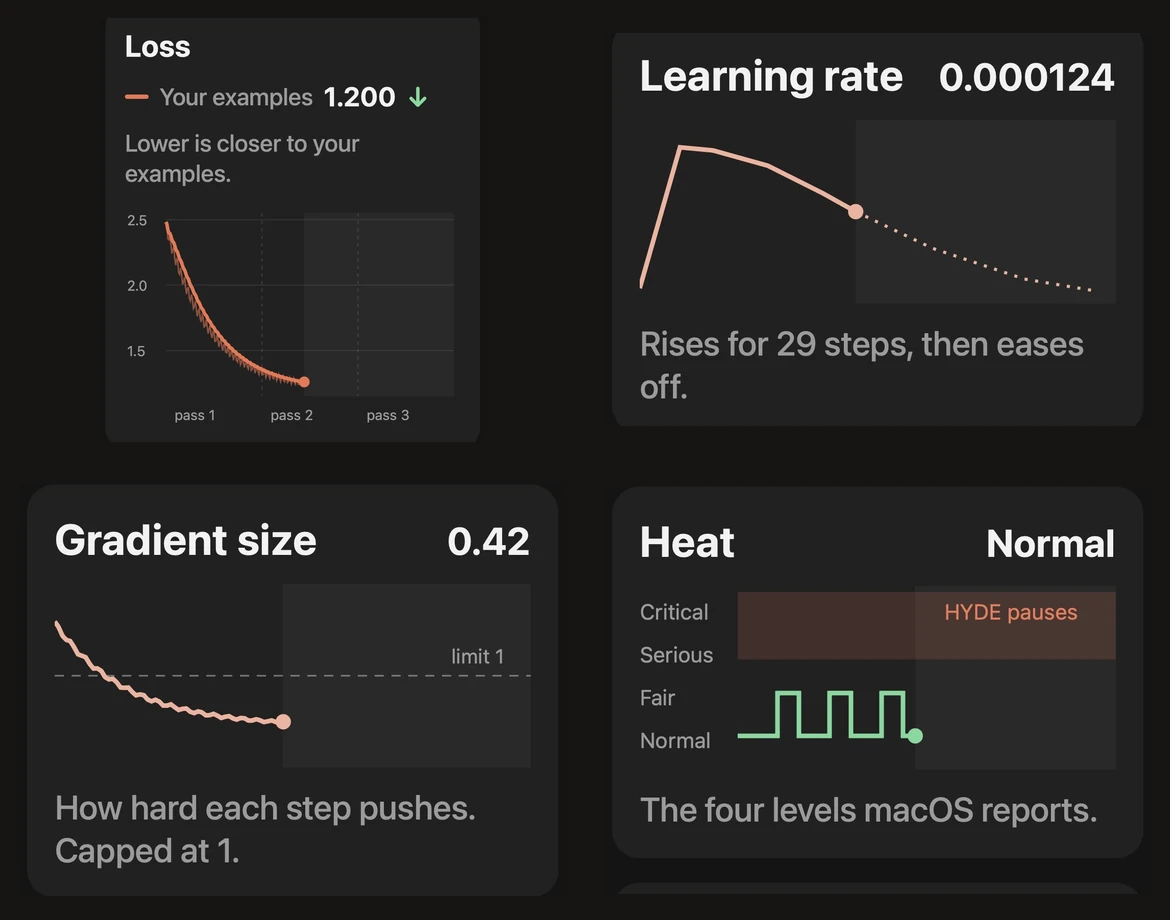
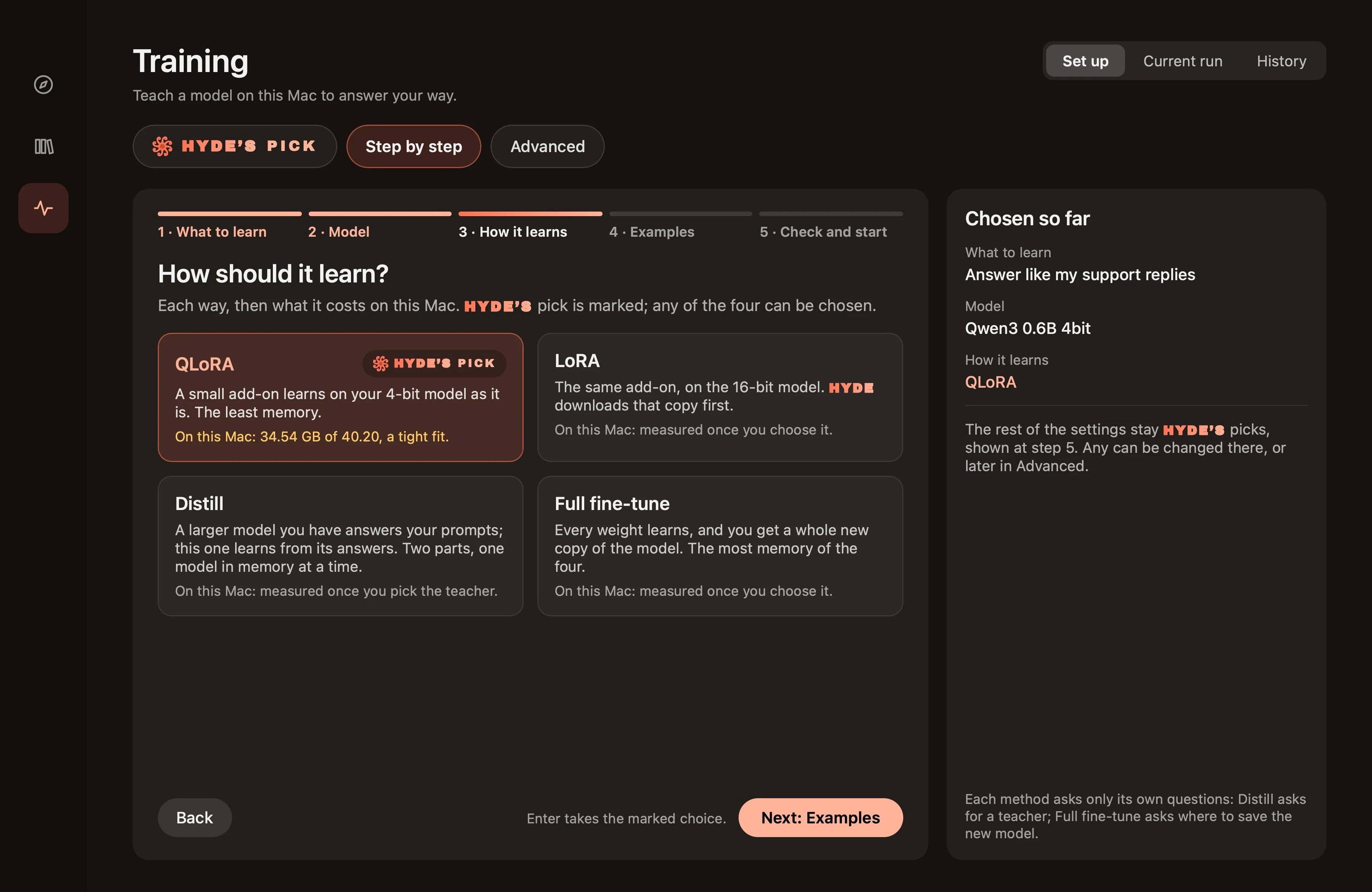
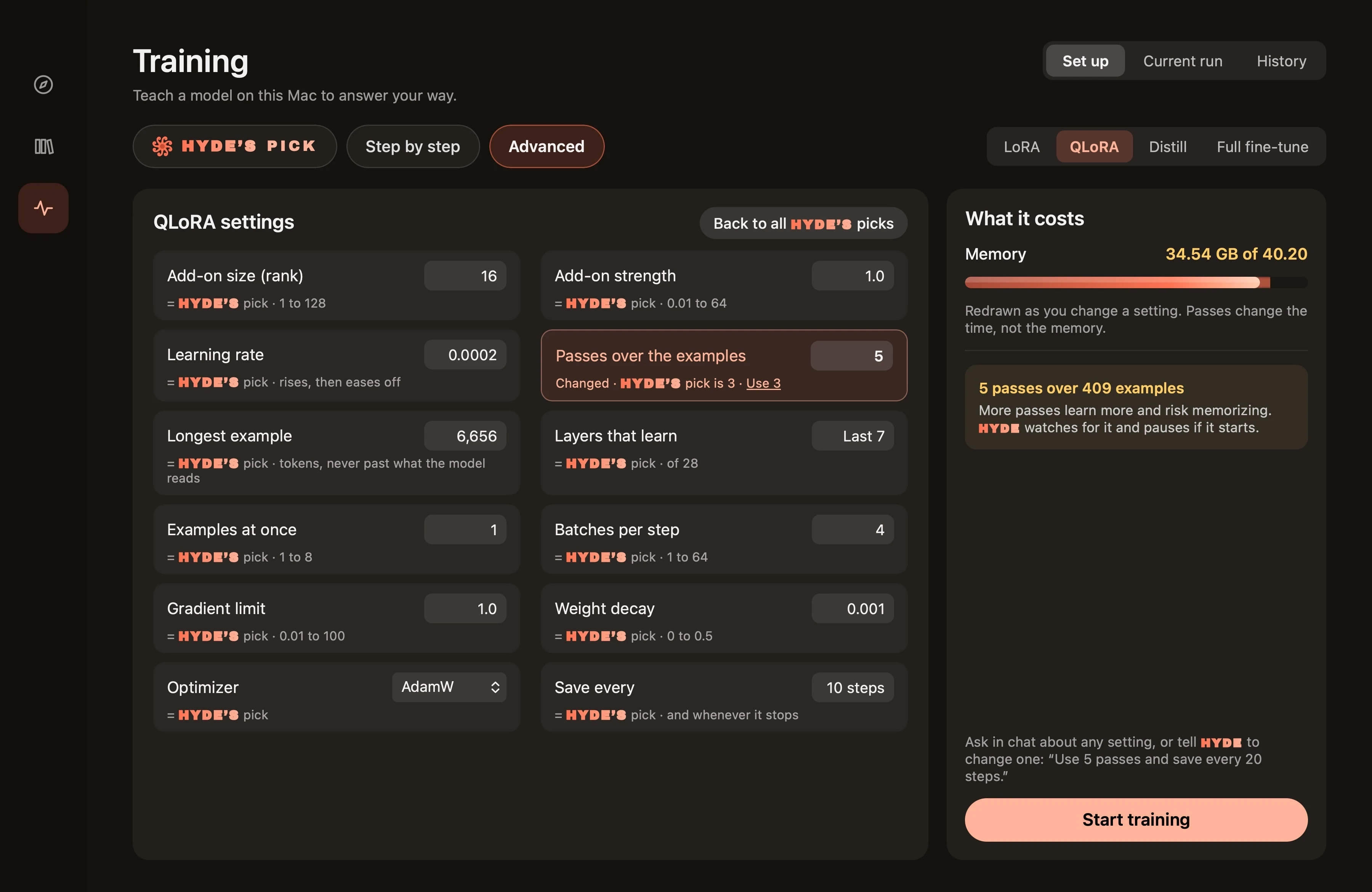
Start with a guided wizard or set every detail yourself. As training runs, HYDE turns the learning process into clear visual feedback you can read at a glance.
ABegin with a wizardHYDE’s Pick or a step-by-step guide helps newcomers choose a method and prepare a run.
BSee training take shapeFollow loss, learning rate, gradient size, and Mac heat, with held-out test and memorization feedback.
CControl every detailAdvanced settings expose the training parameters, with memory estimates as you adjust them.
See the run at a glanceLive graphs show loss, learning rate, gradient size, and Mac heat; held-out tests help track memorization.Start with a guided wizardMove through the choices one step at a time, with HYDE’s recommendation marked.Take control in AdvancedAdjust the full set of training parameters and see the memory estimate update.
01 / 03 · See the run at a glance
Actual HYDE training screens · Swipe or choose a screen
The next chapter is being built
Good work is never one-size-fits-all.
One agentic assistant. A Mac and iPhone that work together. Models that can learn your way. More soon.
HYDE is in development · Demo coming soon
Your privacy, your choice.
HYDE.run currently uses essential browser storage only. Choose whether optional cookies may be used if added later. Privacy notice